AI Agents vs Virtual Assistants: Which Does Your Business Actually Need?
The terms get thrown around as if they were interchangeable, and that sloppiness costs businesses real money. A founder who buys a “virtual assistant” expecting it to run a lead-qualification workflow end to end, or an engineering lead who specs an “AI agent” for a job that only needed a reactive helper, has made an architecture decision on the back of a marketing label. The distinction that actually matters isn’t how smart the tool sounds — it’s autonomy, memory, and control. Get those three right and the choice mostly makes itself; get them wrong and no amount of prompt polish recovers the design.
A virtual assistant is reactive. It waits for you, executes the step you asked for, and stops. An AI agent is proactive — it pursues a goal, breaks it into steps, chooses tools, and keeps going until the objective is met or it hits a boundary you set. That single sentence is the entire comparison, but the sentence hides the engineering that makes it true.
TL;DR: The difference is autonomy, not intelligence. A virtual assistant is reactive — it does one task per prompt and waits for the next instruction. An AI agent is proactive — it holds a goal, plans multiple steps, calls tools, and works until the job is done. Choose an assistant for control; choose an agent when you want an outcome, not an answer.
What Is a Virtual Assistant?
A virtual assistant — human or software — is a request-response machine: it does exactly the step you ask for, on the turn you ask it, and then stops. You say “draft this email,” it drafts the email. You say “book this meeting,” it books the meeting. It’s good at what it’s asked and idle otherwise.
The defining traits:
- Reactive by design. No initiative. It does not start work until you prompt it, and it stops the moment the requested step finishes.
- Single-step scope. It handles one task at a time, guided turn by turn. Multi-step work means you’re composing the steps, not it.
- Session memory. It holds context within a conversation, then largely resets. It doesn’t carry a persistent model of your business, your history, or your goals across days.
- Limited tooling. Modern assistants can call tools — generate an image, search a doc, run a lookup — but the calls are singular and user-directed, not orchestrated.
None of this is a flaw. For a large class of work, reactive is precisely what you want, because reactive is predictable. When the cost of a wrong move is high and the task is well-bounded — drafting a proposal, summarizing a thread, scheduling across calendars — a virtual assistant’s “do exactly this, then stop” behavior is a feature, not a ceiling.
What Is an AI Agent?
An AI agent is a do-for system: you hand it a goal, not a list of commands, and it plans, acts, observes, and adapts until the goal is met — bounded by the permissions, budgets, and policies you wrap around it.
The defining traits:
- Proactive by design. Given an objective, it initiates work. It doesn’t wait for the next prompt; it advances the plan.
- Multi-step, multi-tool orchestration. It breaks a goal into subtasks, selects the right tool for each — a CRM call, a database query, an API write, a calendar action — and chains them together.
- Persistent memory. It maintains context across tasks and time. It remembers the customer, the campaign, the prior decisions, and it uses that memory to behave more sensibly next run.
- Goal-seeking with guardrails. Its output isn’t just text or a file — it’s a change in a system: a list created, an asset published, a meeting booked, a record updated. That’s why observability, version control, and rollback stop being nice-to-haves and become mandatory.
The agent’s autonomy is real but always bounded. A well-built agent doesn’t run free; it operates inside a policy envelope — role-based access, budgets, approval gates, audit logs — and escalates only the exceptions that genuinely need human judgment. Autonomy without guardrails isn’t an agent; it’s a liability.
What Actually Separates an Agent From an Assistant?
The gap is not intelligence — both can run on the same frontier model — but architecture: an assistant is a thin loop, while an agent is a control loop that plans, acts, observes, and reflects.
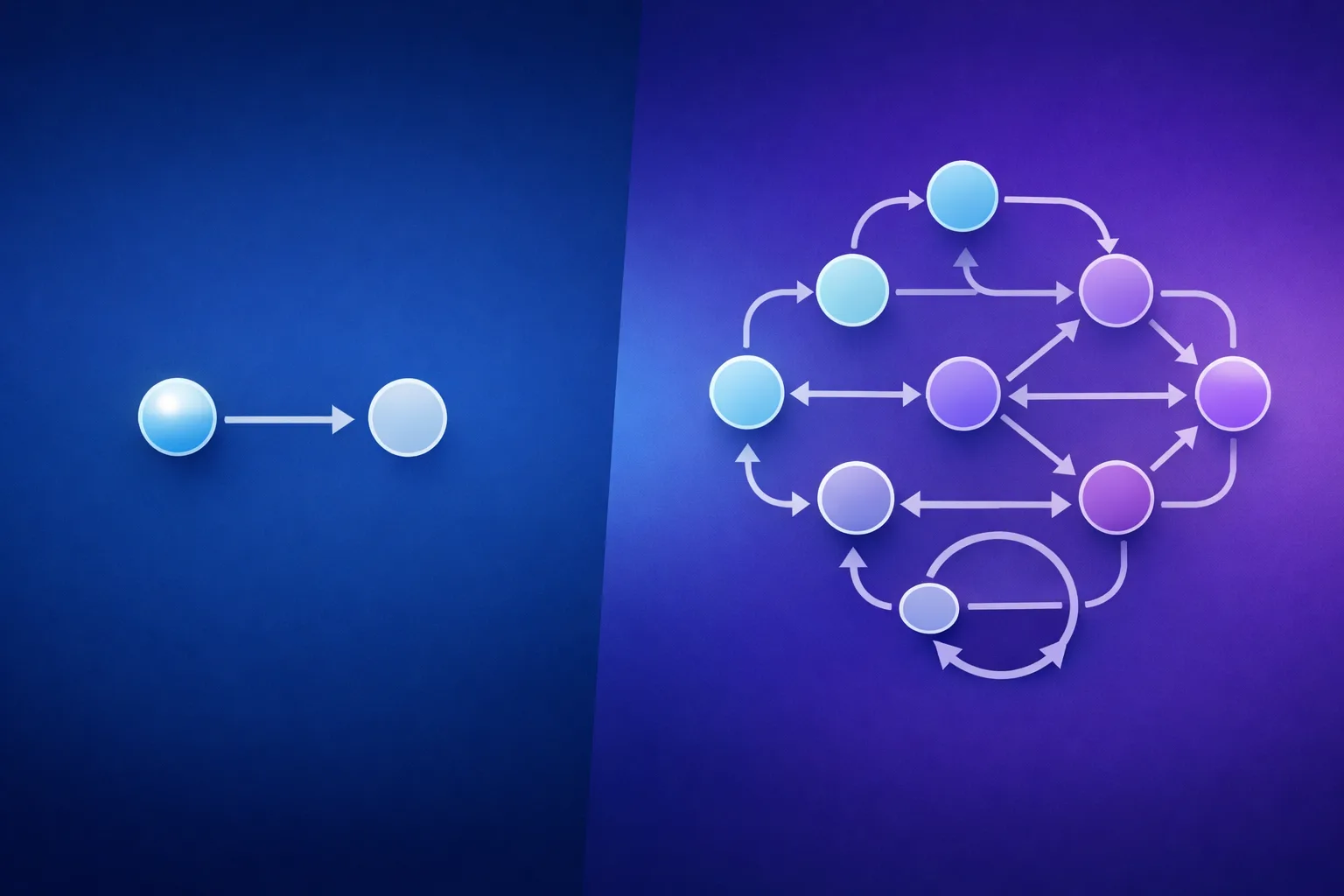
- An assistant is a thin loop: input → model → single tool call → output → stop.
- An agent is a control loop: goal → plan → act (tool calls) → observe (results) → reflect → adjust → act again, iterating until done or blocked.
That loop — plan, act, observe, reflect — is the whole difference. It’s why an agent can recover from a failed step where an assistant just returns an error. It’s why an agent can drive a business KPI (meetings booked, pipeline created, records reconciled) where an assistant delivers an answer. And it’s why the two are measured differently: you score an assistant on task completion time and response quality; you score an agent on business outcomes and the audit trail behind them.
This is also the line that separates an agent from the automation that came before it. Where AI agents and RPA both act on systems, RPA follows a fixed script while an agent can plan, adapt, and recover — a distinction worth understanding if you’re weighing them against each other.
This also explains why the old dividing lines have dissolved. Five years ago, “does it have memory?” and “can it call tools?” cleanly separated the categories. Today both modes hold context and both can call tools. What still separates them in 2026 is who initiates the work, how much control the system holds between steps, and whether the task can keep running as a repeatable workflow without you driving every turn.
A Practical Comparison
| Capability | Virtual Assistant | AI Agent |
|---|---|---|
| Initiation | Reactive — waits for a prompt | Proactive — pursues a goal |
| Task scope | Single-step, user-guided | Multi-step, self-directed |
| Tool use | Singular, user-directed calls | Dynamic, multi-tool orchestration |
| Memory | Session-based, resets | Persistent, across tasks and time |
| Control mode | You drive every turn | Guardrails bound autonomous action |
| Output | An answer, a draft, a file | A change in a system + audit trail |
| Failure handling | Returns an error, waits | Observes, adjusts, retries |
| Success metric | Task completion, response quality | Business KPI + governance |
When a Virtual Assistant Is the Right Call
Choose an assistant when the work is well-bounded and you want your hand on the wheel.
- High-cost-of-error, single-step tasks. Drafting a client proposal, summarizing a contract, writing a response where you’ll review every word before it ships.
- Conversational and interactive work. Where the value is in the back-and-forth — Q&A, research on demand, drafting and redrafting with you in the loop.
- You need predictability, not initiative. When “do exactly this, then stop” is the correct behavior and surprise is the enemy.
Most businesses are already running assistants well: Siri- and Alexa-style helpers, the drafting and summarization built into your office tools, customer-support copilots that suggest replies a human approves. They’re reactive, they’re useful, and they’re not agents — and that’s fine.
When You Actually Need an AI Agent
Choose an agent when the thing you’re trying to move is an outcome, not an answer.
- The goal is a business KPI. You don’t want “a summary of the leads” — you want the leads qualified, routed, and logged in the CRM. You don’t want “a draft of the follow-up” — you want the follow-up sent and tracked.
- The work spans multiple systems. A single job that touches your CRM, your calendar, your database, and your email is exactly the kind of multi-tool orchestration agents are built for and assistants choke on.
- The work is recurring and you don’t want to drive it every time. A workflow that runs daily or weekly — reconciliation, enrichment, triage, reporting — is agent territory precisely because it should keep running without you composing each step.
- You’re willing to invest in governance. An agent that changes systems needs role-based access, budgets, approval gates, and audit logs. If your team isn’t ready to stand that up, you’re not ready for agents — and that’s a governance decision, not a technology one.
The honest tell: if the job stops the moment you stop prompting it, you built an assistant wearing an agent’s label. If it keeps making progress toward a goal you set once, you have an agent.
The Trade-Off Most People Miss
Autonomy is a trade, not an upgrade. An agent buys you scale and hands-off execution, and it costs you two things in return: controllability and observability.
A virtual assistant does exactly what you say, so it’s trivially predictable — you can trace every output to an input you gave. An agent makes decisions between your prompts, which means you now need to constrain it (policies, budgets, permissions) and watch it (logs, rollback, versioning) in ways an assistant never required. That’s not a reason to avoid agents. It’s a reason to be deliberate about where you deploy them: give autonomy to the workflows where the upside of scale outweighs the cost of governance, and keep the high-stakes, single-turn, human-reviewed work reactive.
Where the agent runs matters as much as what it does. The self-hosted versus managed platform question is really an extension of this same trade — where you accept the control and observability burden in exchange for scale — and it’s worth settling before you commit to an architecture. The total cost of ownership runs the same direction: autonomy has a hidden price in governance, observability, and maintenance that a single-turn helper simply doesn’t carry.
For a technical founder or senior consultant, the more pointed version of this question is: should I just build it myself in code? The answer is rarely “no, use our toy instead.” A serious platform doesn’t hand you a no-code ceiling — it hands you the substrate: memory, tool orchestration, guardrails, and observability already assembled, so the thing you’re actually designing is the cognition — the goal, the decision policy, the failure handling — rather than re-plumbing memory and tool-calling for the fifth time. That’s the depth you’d hand-roll, without rebuilding the plumbing. If a tool caps you beneath that, it’s a toy regardless of what it calls itself; if it gives you primitives and control, it’s earning the “agent platform” label.
That question — build from primitives or design on a substrate — is exactly what the n8n self-hosted versus cloud comparison and the AutoGen versus CrewAI framework debate wrestle with. Both conversations turn on the same thing this article does: how much plumbing you’re willing to own to get the depth you want.
Choosing Without the Buzzwords
Strip the marketing and decide on three questions, in order:
- Who initiates the work? If you want to drive every turn, you want an assistant. If you want to set a goal and walk away, you want an agent.
- What’s the output you care about? An answer, a draft, a file → assistant. A change in a system that moves a KPI → agent.
- What governance can you actually stand up? If you can’t commit to permissions, budgets, and audit logs, stay reactive until you can. Agents without guardrails are worse than no automation at all.
If two of your three answers point the same way, the decision is made. If they conflict — you want the outcome but can’t stand up the governance — the bottleneck isn’t the tool, it’s the readiness, and that’s where to spend the next month. And once you’ve settled on agents, the next fork is the autonomous versus assisted architecture question — how much latitude to hand the system, and where to keep a human in the loop.
Frequently asked questions
What can an AI agent do that a virtual assistant can’t?
An AI agent can initiate work, plan multiple steps, orchestrate several tools, and persist toward a goal without you driving each turn. A virtual assistant only reacts to the prompt in front of it. The difference is autonomy, not raw intelligence — both can use the same underlying model.
Is an AI agent just a smarter virtual assistant?
No. They can share the same model, but an agent is built as a control loop — plan, act, observe, reflect — while an assistant is a single-shot loop. The agent recovers from failed steps, changes systems, and pursues an outcome; the assistant completes one requested task and stops.
When should I use an AI agent instead of a virtual assistant?
Use an agent when you want an outcome — a KPI moved, a multi-system workflow completed, or a recurring job that should run without you composing each step. Use an assistant when the work is single-step, high-stakes, and better off with a human reviewing every turn.
The distinction between an AI agent and a virtual assistant isn’t a ranking — neither is a “better version” of the other. One is a toolkit you drive; the other is a system you direct. The businesses that get this wrong don’t lose on technology; they lose on architecture, deploying reactive tools where they needed autonomous ones and paying for autonomy where a helper would have done. Name what you actually want — an answer, or an outcome — and the choice stops being confusing.
Want to design AI employee roles from scratch rather than deploy templates? The AI Agent Architects runs as a small five-week cohort, and the waitlist hears every enrolment date first: Join the AI Agent Architects waitlist
About the Author
Anthony Odole is a former IBM Senior Managing Consultant, where he served as Enterprise Architect on Fortune 500 engagements, and the founder of AIToken Labs. He helps business owners cut through AI hype by focusing on practical systems that solve real operational problems.
His flagship platform, EmployAIQ, is an AI Workforce platform that enables businesses to design, train, and deploy AI Employees — AI agents that function as digital workforce members — that perform real work without adding headcount.