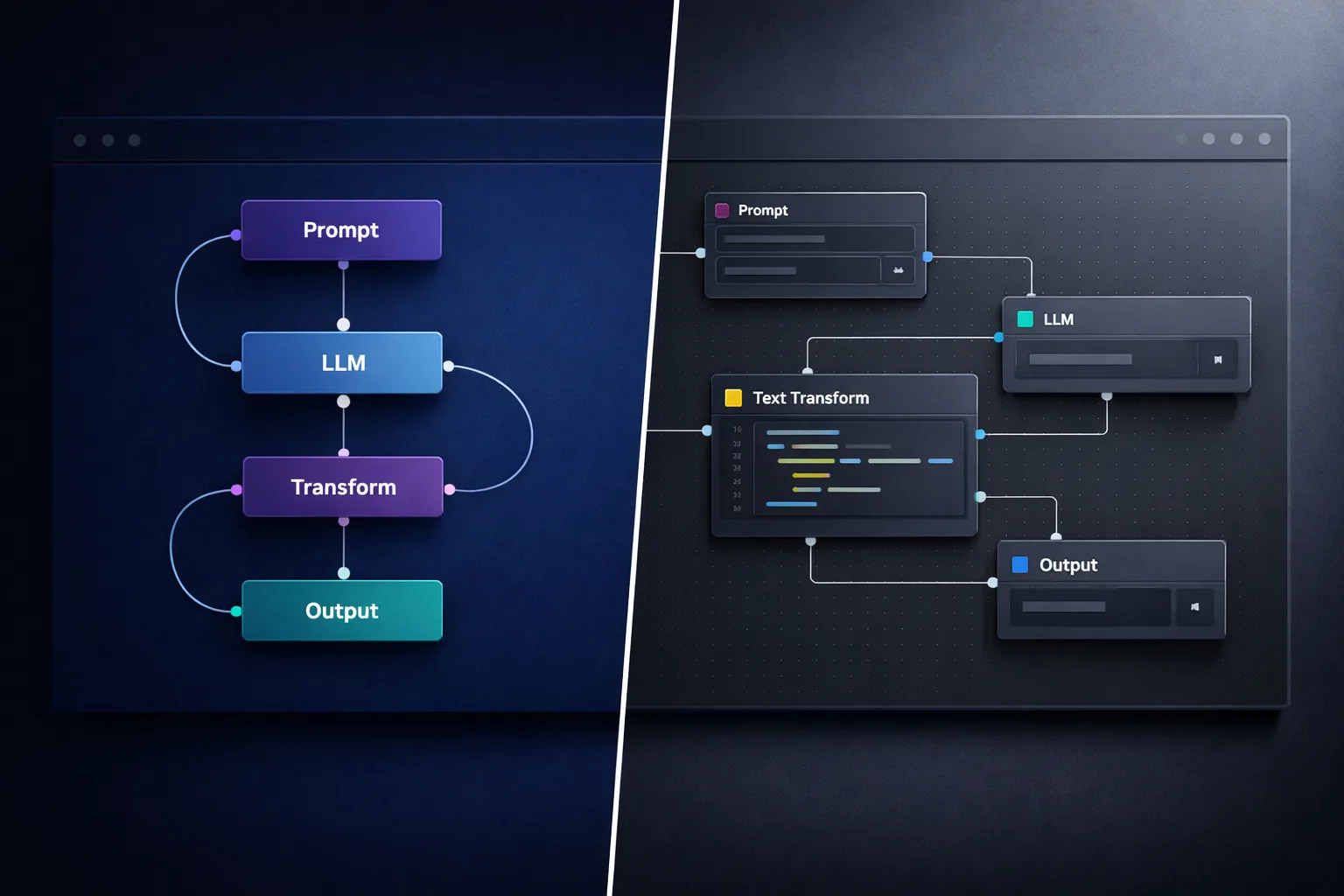
The question that actually matters when you compare Flowise and LangFlow isn’t “which one is easier to learn.” It’s a control question: can I reach the primitives when I need to, extend past the GUI without fighting it, and walk away without my work being held hostage? The false choice lurking underneath is between a shallow no-code toy with a hard ceiling and hand-rolling the entire substrate in raw code. Neither tool is a toy, and neither forces that choice on you — but they answer the control question differently.
TL;DR: Flowise is the faster path to a working LangChain flow with a clean, opinionated UI; LangFlow gives deeper access to the underlying graph and is easier to bend into custom code. Both are open-source and self-hostable, so neither locks you in. Choose Flowise for speed to a working agent, LangFlow when you expect to reach past the GUI into the primitives.
What are Flowise and LangFlow?
Both tools are visual, drag-and-drop builders that sit on top of LangChain — the Python framework that powers a large share of modern LLM orchestration. They give you a canvas where you connect nodes (a model, a retriever, a prompt template, a tool) into a chain or agent, instead of writing LangChain code by hand.
The difference is in the substrate and the language of that substrate:
- Flowise is built in Node.js/TypeScript. It wraps LangChain behind an opinionated, polished UI. Its opinion is “get to a working agent quickly,” and it shows.
- LangFlow is built in Python, and its components are LangChain — each node on the canvas is a Python class you can open, read, and edit. Its opinion is “this is LangChain, just visualized.”
That single architectural difference cascades through everything a serious builder cares about: how far you can reach past the GUI, how custom tooling works, and how much of the framework is actually exposed to you. If you’re still deciding whether a visual layer is even the right call for your project, our no-code vs code AI agents decision framework walks through that choice in detail.
The control question: reaching the primitives
This is where the two tools genuinely diverge, and it’s the part that matters most for an advanced builder.
LangFlow exposes LangChain’s full complexity rather than hiding it. Every component is a Python class. You can modify component code directly in your deployment environment, write a custom component once and reuse it across flows, and — in the words of one of Langflow’s own builders — you can build an entire LangGraph implementation inside a single Langflow component if you want to. The ceiling is effectively the framework’s own ceiling, because you’re standing on the framework, not on an abstraction above it.
Flowise is faster to a working result but thinner at the edges. Its integration library is large and its UI is clean, but when you need genuinely custom retrieval logic, a novel agent architecture, or complex tool-calling patterns, you hit Flowise’s abstraction limits and end up writing LangChain or LangGraph code directly anyway. Custom components are harder to build there — it’s the trade you make for the speed.
The honest framing: Flowise is the fastest route to a working agent. LangFlow is the route that keeps the whole framework within reach for when “a working agent” isn’t enough.
Maintenance and lock-in: the fact that changes everything
Here is the single most important fact in this comparison, and it’s one most older write-ups don’t yet reflect.
Flowise has halted active development. The core team announced a code freeze on July 29, 2026, and the GitHub repository was moved to public archive status on August 13, 2026 — it is now read-only, with issues and pull requests locked. Flowise Cloud shut down on November 30, 2026. The code remains available under Apache 2.0, so a self-hosted instance keeps working and you’re free to fork it — but there is no core team maintaining it, no new features, and no upstream fixes arriving.
LangFlow is under active development with major-corporation backing. IBM acquired DataStax (finalized May 28, 2025), and LangFlow came with it. The repository is actively maintained, and the enterprise path now routes through IBM’s watsonx portfolio — which means the project has real funding and a roadmap behind it, not just community goodwill.
This matters for the exact reason your instinct flagged it: lock-in isn’t only about whether you can export your data — it’s about whether the ground underneath your tool is still being maintained. Both tools are open-source and self-hostable, so neither holds your work hostage in the legal sense. But an archived project means you become the maintainer the moment something breaks. If you’re choosing a substrate you intend to build production work on, that asymmetry is decisive — and it’s the same reason the self-hosted vs managed AI agent platforms question is worth resolving before you commit.
Extension and custom code
If your plan is to reach past the GUI regularly, the language of each tool matters more than its marketing:
- LangFlow is Python-first. Custom components are Python classes that inherit from LangChain. If you already write LangChain, writing a LangFlow custom component is nearly free — you’re writing the same code you’d write anyway, just registering it as a node. This is why builders who prototype in LangFlow report that it’s dramatically simpler to create and share custom components than in Flowise.
- Flowise is TypeScript-first. Custom tooling there means working in the Node ecosystem and reaching through Flowise’s own component API, which is less direct than LangFlow’s “it’s just a Python class” model.
For a Python-native builder, LangFlow’s extension path is essentially a rounding error on top of work you were already going to do. That’s the strongest argument for it. And because Flowise’s future is now a fork you’d carry yourself, the moment you outgrow it is the moment you start thinking seriously about an AI agent platform migration — which is far easier to plan for before you’ve built a year of flows on a dead project.
Deployment and sharing
Both tools can expose a finished flow as an API endpoint or an embeddable widget, so “build visually, deploy as a service” is a solved problem on both sides.
The differences are practical. Flowise historically had the smoother one-click deployment story, which pairs with its speed-to-agent strength. LangFlow’s flows export as JSON and deploy as an API too, but versioning is more manual — you’re managing JSON export rather than a first-class versioning system, and components can shift between versions. Neither is “not production-ready” in the abstract; both reward disciplined versioning when you move past prototyping.
Why not just build it in code?
This is the question a serious builder should ask, and it deserves a straight answer rather than a sales pitch.
If you already maintain a Python codebase, already know LangChain and LangGraph cold, and your team’s workflow is review-pull-request-deploy, then writing it in code is a completely reasonable choice — the visual layer adds an editor you may not need, and you already own the plumbing.
The case for a visual builder is narrower and more specific than “no code, anyone can do it.” It’s that a canvas collapses the iteration loop. Wiring a retriever → prompt → model → tool cycle that takes minutes to type in code takes seconds to drag, and when you’re exploring an agent’s behavior, that loop speed compounds. LangFlow, specifically, gives you that speed without giving up the code — you can drop to Python at any node, and the flow itself becomes an endpoint you can call from code just like any other tool.
Which is the honest resolution of the false choice: you don’t have to pick between “visual toy” and “raw code.” LangFlow is the closest thing to having both, and Flowise was the fastest way to get most of the value with the least friction — until its development stopped.
The decision, plainly
- Choose Flowise if you want the fastest path to a working LangChain flow with a clean, opinionated UI — and accept that the project is now archived, so you’ll be maintaining your own fork.
- Choose LangFlow if you expect to reach past the GUI into the primitives, write custom Python components, and build on a substrate that’s still actively developed under IBM’s ownership.
- Choose raw code if you already own the full LangChain/LangGraph stack and a visual layer buys you nothing.
For a builder whose real concern is depth and control — not ease of entry — LangFlow is the answer in almost every case, and it’s not close. The maintenance asymmetry alone decides it for production work. If you’re comparing this to other no-code builders in the same lane, our Lindy vs Relevance AI comparison applies the same control-focused lens.
Want to design AI employee roles from scratch rather than deploy templates? The AI Agent Architects runs as a small five-week cohort, and the waitlist hears every enrolment date first: Join the AI Agent Architects waitlist
About the Author
Anthony Kayode Odole is a former IBM Senior Managing Consultant, where he served as Enterprise Architect on Fortune 500 engagements, and the founder of AIToken Labs. He helps business owners cut through AI hype by focusing on practical systems that solve real operational problems.
His flagship platform, EmployAIQ, is an AI Workforce platform that enables businesses to design, train, and deploy AI Employees — AI agents that function as digital workforce members — that perform real work without adding headcount.