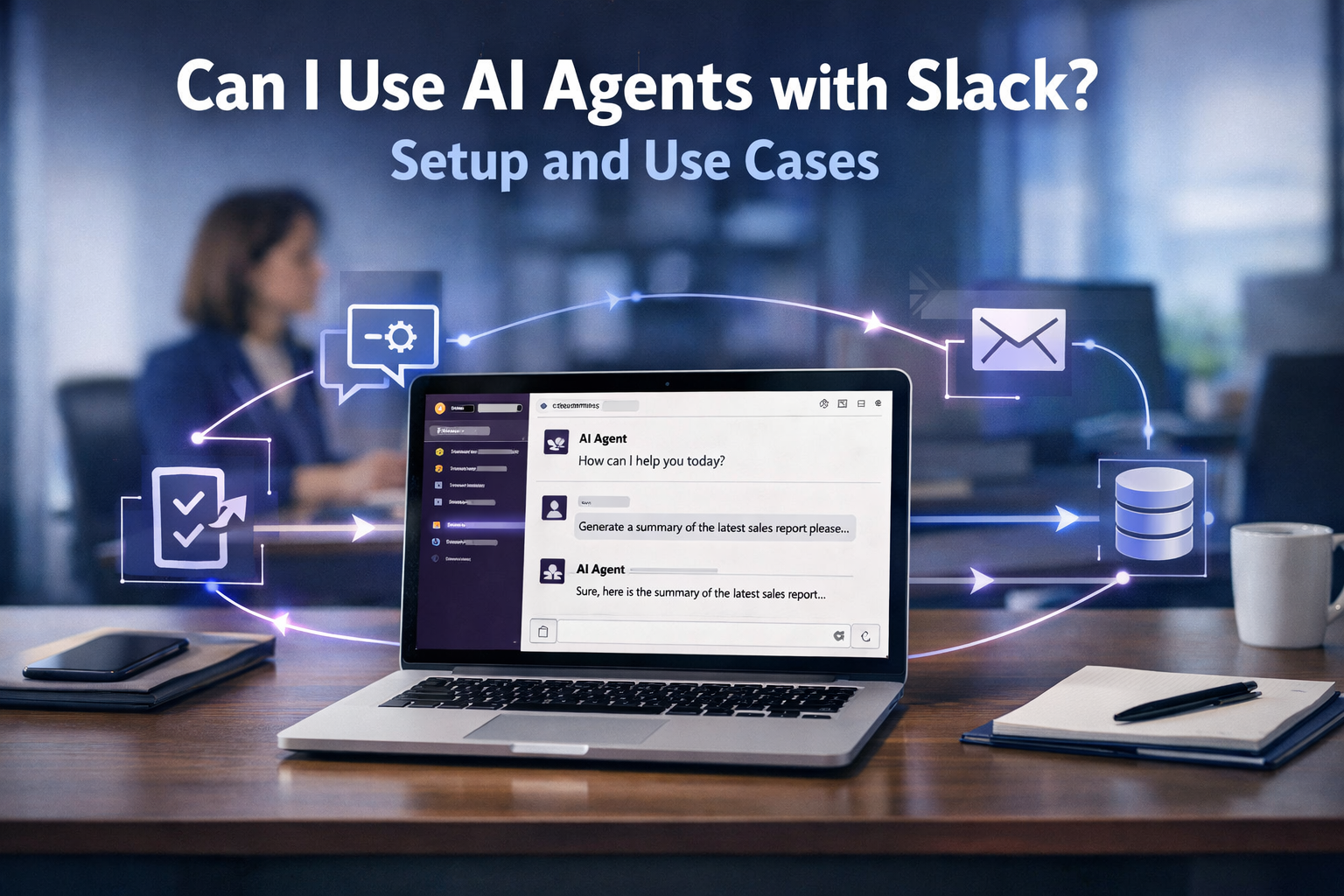
You can use AI agents with Slack by connecting them as Slack apps or bots that respond to messages, run slash commands, and automate workflows. Yes — it’s not only possible, it’s one of the fastest ways to put an AI employee to work inside a tool your team already lives in.
If you’re evaluating options right now, here’s the short version: Slack gives you two different things, and they aren’t the same. One is a built-in assistant. The other is a full AI agent you connect and train for specific jobs. Understanding the difference is the fastest way to avoid wasting time building the wrong thing.
What Is an AI Agent in Slack?
Let’s separate the two so there’s no confusion.
Slack AI is Slack’s native, built-in feature. It searches your message history, summarizes long threads, and generates channel recaps. It reads and retrieves — but it doesn’t take action outside of Slack.
An AI agent in Slack is a broader, more capable thing. It’s an external or connected agent that you install as a Slack app or bot. It can read messages, run slash commands, and — this is the key difference — take action in other tools, like creating a ticket, updating a CRM record, or pulling a report, then post the result back into the channel.
Here’s a quotable way to remember it: Slack AI helps you find and summarize information; an AI agent in Slack goes and does work for you, then reports back.
For Leo — someone who knows the problem and is comparing solutions, not yet an expert — this distinction matters because it determines what you can actually automate.
How to Set Up an AI Agent in Slack (Step-by-Step)
You don’t need to be a developer to get started, though some paths are more technical than others. Here’s the practical sequence:
-
Decide what job the agent will do. Start with one narrow, repeatable task — triaging support requests, answering FAQs, or logging leads. A single clear job beats a vague “general assistant.”
-
Choose your agent platform. You can use a no-code builder, an AI framework, or a commercial agent product that ships a Slack integration. The right choice depends on whether you need it connected to other business tools.
-
Create a Slack app. Head to the Slack API dashboard, create a new app, and give it a name. This is the “container” your agent lives inside.
-
Grant the right permissions (scopes). Add the bot token scopes your agent needs — typically things like reading messages, sending messages, and handling slash commands. Grant only what the job requires.
-
Enable events and slash commands. Turn on the events your agent should react to (like a message in a specific channel) and define slash commands such as
/triageor/report. -
Connect the agent’s brain. Wire the Slack app to your AI model or agent platform so that incoming messages get routed to the agent, which reasons about the request and decides the next step.
-
Install to your workspace and test. Install the app, add it to a test channel, and run a few real requests. Confirm it responds correctly and escalates anything it can’t handle.
-
Set guardrails. Decide which channels the agent watches, what it can and can’t do, and where it escalates to a human. This keeps an autonomous agent from overstepping.
For a deeper walkthrough of the technical wiring, see how to connect your AI agent to Slack.
Real AI Agent Use Cases in Slack
The best way to see the value is through concrete, everyday examples:
-
Support triage: An agent watches a
#supportchannel, classifies each new request, tags it by priority, and either answers common questions or creates a ticket in your helpdesk — then replies with the ticket number. Your team stops manually sorting inbound messages. -
Lead capture and logging: When a sales rep drops a new lead into
#new-leads, the agent extracts the name, company, and context, then writes it straight into your CRM. No more copy-paste between Slack and your database. -
Status and reporting: Instead of digging through dashboards, someone types
/weekly-reportand the agent pulls the numbers from your analytics tool and posts a formatted summary into the channel.
These examples share a pattern worth noticing: each one has a trigger (a message, a slash command, or a channel event), a narrow action, and a write-back to your system of record. That pattern is what separates a real agent from a chatbot that only talks.
Common Mistakes to Avoid
-
Building a “does everything” assistant first. Broad scope is the fastest way to end up with something unreliable. Pick one job and nail it.
-
Skipping guardrails. An agent with broad permissions and no escalation path can act on things it shouldn’t. Define its lane and a human handoff early.
-
Confusing Slack AI with an agent. If you only need search and summaries, native Slack AI may be enough. If you need action in other tools, you need an agent.
-
Ignoring permissions scope. Granting more scopes than the job requires creates security risk for the whole workspace.
Next Steps
If you’re evaluating AI agents for Slack, your next move is to pick one narrow, high-volume task and test an agent against it. Start small, measure whether it actually finishes work (not just replies), and expand from there.
[Planned — will link when published: Parent Pillar and Parent Cluster]
Want to build your first AI employee? Join the AI agent builders waitlist for first access at aitokenlabs.com/ai-agent-builders/first-employee
About the Author
Anthony Odole is a former IBM Senior Managing Consultant, where he served as Enterprise Architect on Fortune 500 engagements, and the founder of AIToken Labs. He helps business owners cut through AI hype by focusing on practical systems that solve real operational problems.
His flagship platform, EmployAIQ, is an AI Workforce platform that enables businesses to design, train, and deploy AI Employees — AI agents that function as digital workforce members — that perform real work without adding headcount.